Loop Mode
Loop mode is Inferoa's loop-engineering surface for recursive long-horizon
work. Run /loop to define the outcome once; Inferoa keeps inspecting,
changing, testing, verifying, deciding, and continuing until the work is proven.
Use it when a task may span multiple turns, context compaction, tool failures, verification passes, or a later resumed session.
When To Use It
Use loop mode when the desired outcome is clear but the work is long:
- the agent needs to keep working until an objective is complete;
- progress needs an internal checklist, evidence, and status;
- completion should not depend on a single assistant turn;
- you want the session to preserve the objective across interruptions.
Do not use loop mode as a substitute for planning ambiguous scope. If the task needs approval before edits begin, start with Plan mode.
Intelligent Model Selection
With INFEROA_MODE=auto and vLLM Semantic Router, each loop turn can route to a different model. The TUI shows selected: <model> / <decision>.
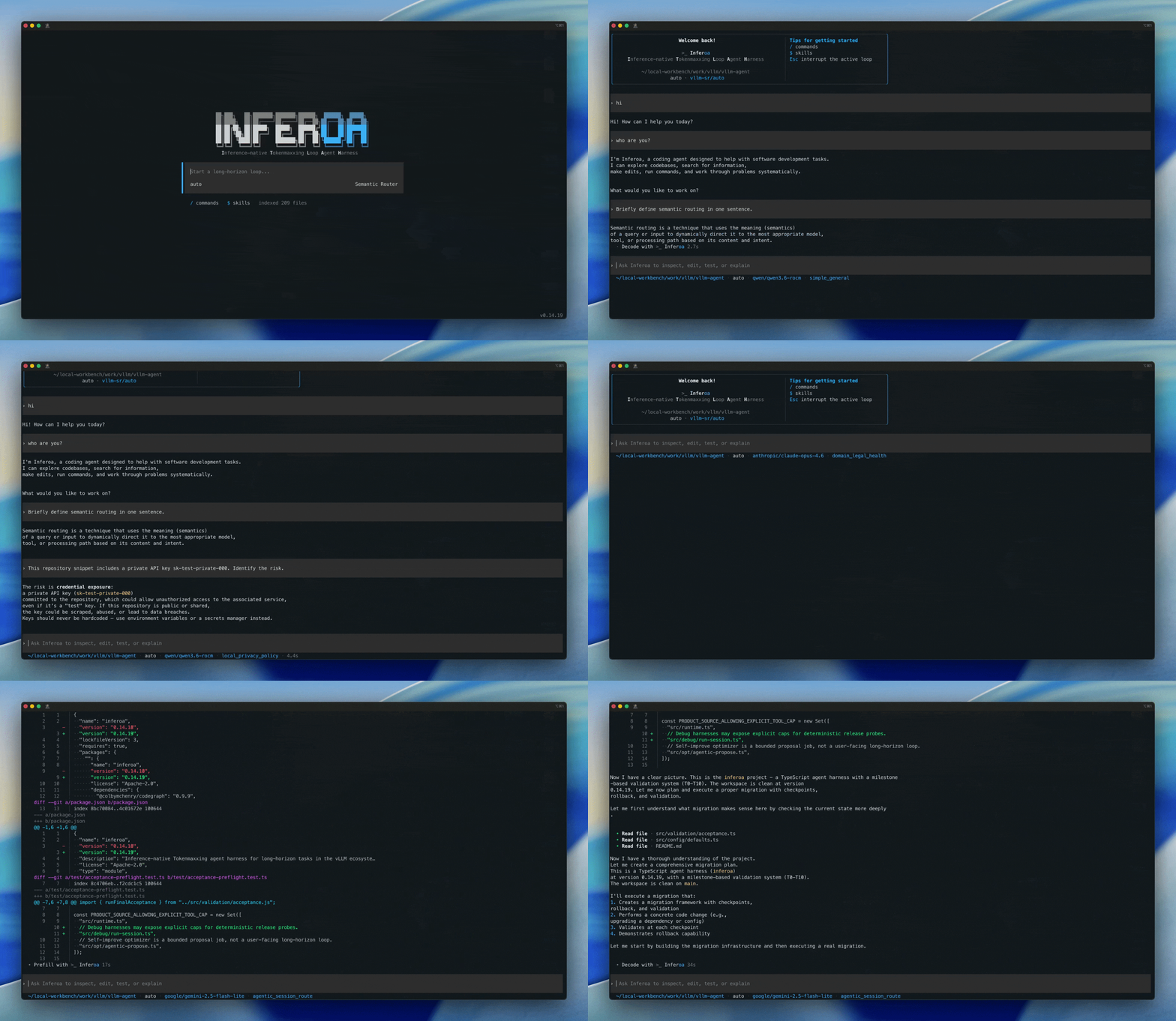
See Model endpoints for setup.
Basic Commands
/loop Improve the docs site and verify the Docusaurus build.
/loop run deliver Improve the docs site and verify the Docusaurus build.
/loop run deliver --at-least 24h Improve this package and handle related high-value issues.
/loop run discover Reduce benchmark latency without hurting accuracy.
/loop run replay --count 100 say hi to me
/loop status
/loop pause
/loop resume
/loop drop
/loop status displays the active loop, current loop task, attempts, verification,
skills, pending review state, and latest loop decisions.
Preference And Runtime
Bare /loop <objective> starts the creation flow. Inferoa asks for the
objective, a preference, runtime, and optional human-in-the-loop review.
Preference:
Delivercloses an end-to-end objective with planning, execution, verification, and decision passes.Discoverruns autonomous research and lets the agent choose benchmarks, metrics, harnesses, controls, and comparison shape.Replayrepeats the original visible prompt for a fixed attempt count.
Runtime:
Autolets the agent stop only after the loop's coverage, frontier, evidence, and residual-risk state has been reconciled.At leastkeeps the loop running until the minimum duration is satisfied, then the normal decision and verification gates still apply.
How It Works
The active loop stores:
- the original objective;
- preference (
deliver,discover, orreplay); - runtime policy (
autoorat_least); - an internal loop task plan and step status;
- the current loop task, starting with a Deliver or Discover bootstrap;
- attempts, which are runs interpreted as work on the loop task;
- verification records from commands, research metrics, checker runs, human review, or structured model evidence;
- a candidate ledger of open, completed, and rejected work;
- notes, resources, tool traces, skill snapshots, token usage, tool usage, and time usage;
- the latest loop decision.
The agent should keep step status and evidence current while working. An empty checklist is not enough to finish the loop.
For Deliver loops, the delivery contract starts with a coverage inventory derived
from the objective's risk surfaces. Mapping a repository, reading a topology
document, or naming a module does not make that surface covered. A surface must
be covered with evidence, or explicitly rejected with a rationale or accepted
residual risk.
Decisions And Completion
When the current loop task appears exhausted, Inferoa runs an internal decision pass. The decision pass steps back from the current plan and asks whether more work is needed to satisfy the original objective.
The decision has three useful outcomes:
expand: open a new loop task with concrete steps that materially affect the original objective;done: record evidence-backed semantic completion;blocked: pause because user input or an external state change is required.
For broad loops, completion is also gated by the candidate ledger. If a decision
says done while high-value candidates remain open, Inferoa expands the next
loop task instead of silently finishing.
Completion is also gated by coverage debt. If the current loop task closes its
seeded frontier but coverage surfaces remain pending or in_progress, Inferoa
opens a coverage-continuation loop task instead of completing. If a reflection
packet names residual risk, that risk must be persisted in loop state before
completion can pass.
Loop completion is gated by verification and loop decisions. A loop is not done because the checklist is empty; it is done after verification records evidence-backed semantic completion.
Discover Loops
Discover loops reuse the same loop supervisor, but each loop task is optimized
for research. The agent chooses the benchmark shape, metric, harness, controls,
and comparison path from the workspace and task evidence. A loop task can
create, continue, complete, or reject multiple experiments. Each experiment
represents one hypothesis or solution line, and each run records benchmark
output and parsed METRIC name=value evidence.
Research completion requires logged metric evidence. The loop cannot complete
while a benchmark run is pending, and a done decision should cite run history,
the best observed metric, and guardrail or regression evidence.
Self-Improve
/self-improve and inferoa self-improve turn verified loop evidence into a
reviewable workspace skill proposal. The first implementation uses structured
replay/gating over recorded evidence rather than a live model rerun:
/self-improve help
/self-improve status
/self-improve propose
/self-improve run --replay
/self-improve report
/self-improve adopt
Self-improve artifacts are stored under .inferoa/self-improve/, and adopted
skills are written under .inferoa/skills/.
Relationship To Other Modes
Use Plan mode before loop mode when the scope needs approval.